Thursday, October 25, 2012

What to expect during your session

What to expect

Our session is a time to have fun, and get creative.  Before your session, I ask you to think of what type of style fits you and your family.  You are welcome to bring any type of prop along to our shoot.  The kids favorite teddys, or books make perfect adds for our session and help personalize your images.

Together we pick a location based off your style.  Families are allowed to bring different outfits for the children.  Models & Senior reps are asked to bring up to 5 different outfits (we change styles alot). 

The day of your session we will meet at the location for the time we have selected.   If it is a location I have selected and you are unsure where it is at, we will meet and you may follow me :)
I pose you and your family.  Children are free souls & I find it best to allow the to play and roam free while I snap.  We will do a individual portraits of the children with them posed and unposed.
When doing families I love to photograph the parents as well.  You can never have enough photos of your children, but we must not forget the mom and dad.

For models; I offer a hair and makeup artist for an additional cost of $40.  I will pose you, and help you find what angles/poses work best for your body style.


Monday, October 22, 2012

Overlays in LR3

If you choose Lightroom over Photoshop then one of the first things you realize is it does not offer layers like PS does.  I have LR3 and PSE 10, and I decided to play with my LR to see if I can find a loop hole.  I am pleased to say I have found a way to get around that.  I can not get the video to upload so until then I am going to just post the steps.


Before & After


1.  Choose the image you want to add the texture/overlay to and open it into LR
2.  Right click the image and click "Export"
3.  Once the window pops up for the export click in the small box for the watermark.
There will be another drop down box beside the "Watermark:", click on that and click on "Edit Watermarks" at the bottom.
4.  Go to the right of the screen and click on Image Options and select Choose.  It will pull up your folders so select the image you wish to overlay.

** To change the opacity go to "Watermark Effects"  **

Please comment with feedback if you have used my how tos :) Let me know if they worked for you or if you had some trouble.

Tuesday, October 16, 2012

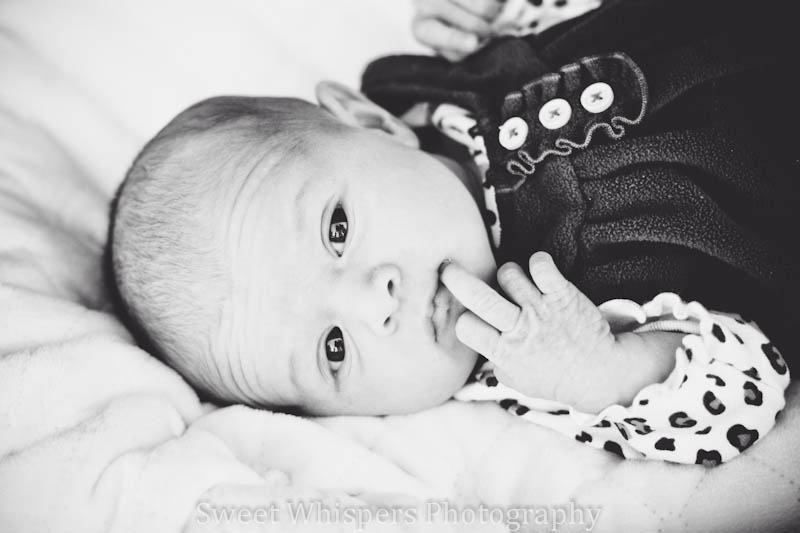
Newborn Fall Photography

Today I photographed a sweet little girl.  I had so much fun and so much creativity came to mind when booking this session.  The witch hat was a craft I chose to make when I found the idea on pinterest.  I must say, after this image, I am glad I did.  Ordinarily, I wouldn't/wont blog about sessions but this is an exception.  ;)   I hope you enjoy these images as much as I have.

**Thank you Nichole Burton Photography for your assistance**


My Family

This year marks 6 years of marriage for my husband and me.  We have two girls together.  Mackenzie is the oldest, and the tom boy.  She is a chatter box, but so well mannered.  Riley is the youngest at 3.  She is dainty like me and loves shoes.  My husband was recently medically separated from the Marine Corps (which explains the USMC tattoo on his arm).  After moving and doing a "little" sightseeing, we are finally back home in Marion.  


Monday, October 15, 2012

Basic Cloning How To

A short video made by me to explain the cloning tool and how to avoid those noticeable circles when cloning.


Freebies

LR3 Presets.
Each preset varies for different images.  To reach best results try adjusting settings.

Dont forget to become a fan if you download.

Tea Time Preset        Before & After
Download here


 Brighten Baby 


Download here

More to come really soon ;)  


Please comment with feedback if you have used my how tos :) Let me know if they worked for you or if you had some trouble.

Wooden Letter DIY

Photo by Amber Wiseman Photography


I chose to make these wooden letters for my daughters' rooms.  Before our family pictures were scheduled I seen them hanging and thought of how perfect they would be as a photo prop.  The end result was amazing.  Many thanks to our wonderful photographer Amber! 

What you will need;
A wooden letter (I got mine from AC Moore)
Scrapbook paper of choice
mod podge
brush

I traced my wooden letter onto the scrap book paper and cut it out.
Put the scrapbook paper over top your letter and paste on the Mod Podge.
Let sit for it to dry and voila its ready for hanging. :) 


Please comment with feedback if you have used my how tos :) Let me know if they worked for you or if you had some trouble.