Monday, January 28, 2013

Children Favs of 2012

2013 has already been a great year.  I have been so busy with Valentines day sessions that
this blog has been pushed aside.  Last year I was blessed with many adorable
little ones to photograph and I thought I would share some of my personal favorite images taken
of those cuties.  


Monday, January 14, 2013

Amber


Let's just start off by saying; Model + Photog = the best of friends.  I truly adore the friendship Amber and I have.  We went to school together, yet never talked. (Isn't it funny how life turns out?!)  After a few moves with my husband (he joined the Marine Corps) we finally returned home and Amber was one of the first sessions I had!  We automatically hit it off and hours after our session had ended we were still lost in conversation.  Amber is my go to person upon finding new locations to shoot at, or if I have a bright idea for a themed shoot.  Here are a few shots we have taken over the past 2(ish) years.  I promise, this will not be
the last you see of her ;))


Mine & Amber's BF shoot.


New Years Baby

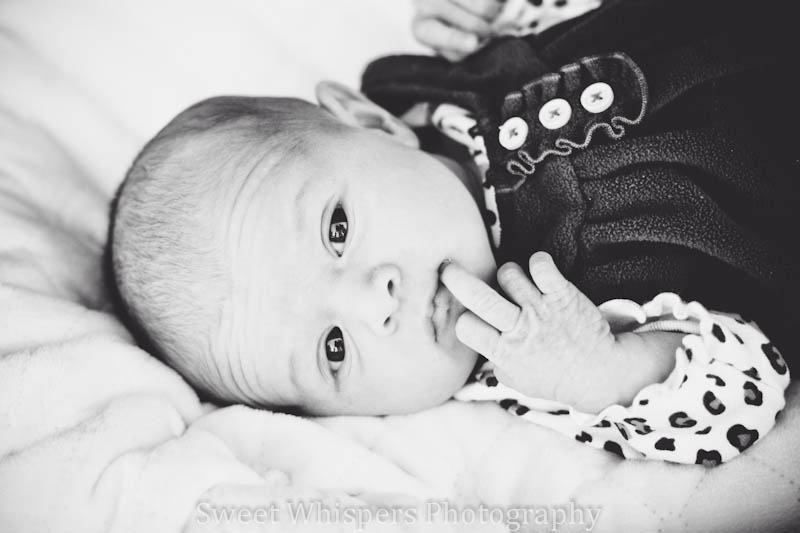
Rylie was my first NB of 2013!  She was born Jan. 1, 2013 and is such a darling little girl!
We had lots of "grins" during our session and photographing her was such a blessing.
Here are a few images from our shoot. 


Become a fan of Sweet Whispers Photography.  
This little crown baby Rylie is modeling in made by me, find it for sale on my page for only $4 shipped!

Thursday, January 3, 2013

Leslie


A new year, with new gear! 

My first session with Leslie was booked by her mother for a Christmas session with her little sister Cloey.
The day after getting my new camera I had this impromptu shot with Leslie.  I can not be more thrilled to break in my new gear with such a lovely lady.  Being from the south, I never run out of sweet southern bells to photograph. :))  Here are a few images from our session.  


Thursday, October 25, 2012

What to expect during your session

What to expect

Our session is a time to have fun, and get creative.  Before your session, I ask you to think of what type of style fits you and your family.  You are welcome to bring any type of prop along to our shoot.  The kids favorite teddys, or books make perfect adds for our session and help personalize your images.

Together we pick a location based off your style.  Families are allowed to bring different outfits for the children.  Models & Senior reps are asked to bring up to 5 different outfits (we change styles alot). 

The day of your session we will meet at the location for the time we have selected.   If it is a location I have selected and you are unsure where it is at, we will meet and you may follow me :)
I pose you and your family.  Children are free souls & I find it best to allow the to play and roam free while I snap.  We will do a individual portraits of the children with them posed and unposed.
When doing families I love to photograph the parents as well.  You can never have enough photos of your children, but we must not forget the mom and dad.

For models; I offer a hair and makeup artist for an additional cost of $40.  I will pose you, and help you find what angles/poses work best for your body style.


Monday, October 22, 2012

Overlays in LR3

If you choose Lightroom over Photoshop then one of the first things you realize is it does not offer layers like PS does.  I have LR3 and PSE 10, and I decided to play with my LR to see if I can find a loop hole.  I am pleased to say I have found a way to get around that.  I can not get the video to upload so until then I am going to just post the steps.


Before & After


1.  Choose the image you want to add the texture/overlay to and open it into LR
2.  Right click the image and click "Export"
3.  Once the window pops up for the export click in the small box for the watermark.
There will be another drop down box beside the "Watermark:", click on that and click on "Edit Watermarks" at the bottom.
4.  Go to the right of the screen and click on Image Options and select Choose.  It will pull up your folders so select the image you wish to overlay.

** To change the opacity go to "Watermark Effects"  **

Please comment with feedback if you have used my how tos :) Let me know if they worked for you or if you had some trouble.

Tuesday, October 16, 2012

Newborn Fall Photography

Today I photographed a sweet little girl.  I had so much fun and so much creativity came to mind when booking this session.  The witch hat was a craft I chose to make when I found the idea on pinterest.  I must say, after this image, I am glad I did.  Ordinarily, I wouldn't/wont blog about sessions but this is an exception.  ;)   I hope you enjoy these images as much as I have.

**Thank you Nichole Burton Photography for your assistance**